Artificial intelligence has fundamentally disrupted the architecture and interior design landscape. What once required weeks of hand-drafted CAD blueprints, complex 3D polygon modeling in 3ds Max or Blender, and overnight V-Ray cloud rendering can now be visualized in seconds using generative spatial neural networks. Today, homeowners, real estate developers, and design professionals can point a smartphone camera at an empty concrete room and generate dozens of photorealistic, material-accurate interior concepts without spending a single dollar.
However, navigating the explosion of "free AI room design" applications in 2026 requires discerning architectural literacy. While consumer marketing presents these tools as magic one-click interior designers, the reality is more nuanced. Many free applications are little more than simplistic generative filters that hallucinate impossible geometry, ignore physical building codes, and place furniture directly across doorway openings. Conversely, when leveraged with professional prompt engineering, depth-map conditioning, and structural understanding, free and freemium AI spatial engines become formidable accelerators—allowing you to test radical layout permutations, simulate daylight conditions, and virtually stage real estate with unprecedented velocity.
The Generative Spatial AI Landscape at a Glance
Depth-Guided Diffusion
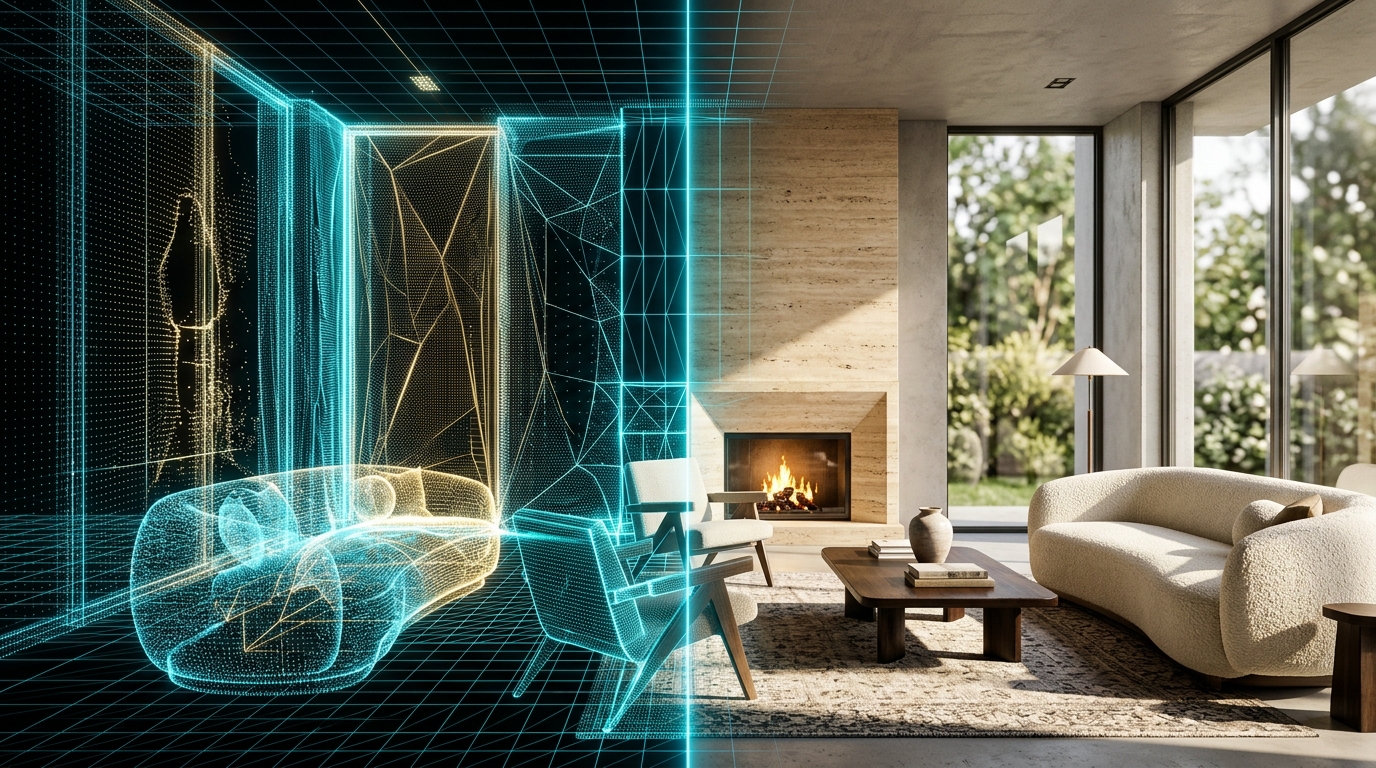
Modern spatial AI uses monocular depth estimation (MiDaS / DPT) and ControlNet edge detection to lock structural walls, window apertures, and ceiling heights in place while hallucinating furnishings only within open volume.
Material PBR Synthesis
Current-generation models simulate Physically Based Rendering (PBR)—accurately calculating how specular sunlight bounces off honed Roman travertine versus absorbing into raw Belgian linen drapery.
The Engineering Divide
AI generates 2D pixel representations and approximate 3D point meshes, but cannot calculate structural load-bearing parameters, HVAC ducting drops, or electrical breaker loads. AI visualizes; architects engineer.

How AI Room Design Actually Works: The Technology Decoded
To extract maximum utility from free AI room design platforms, one must understand the underlying computational pipeline. Consumer AI tools are not "thinking" about interior aesthetics like a human decorator; they are performing high-dimensional statistical probability calculations within multi-billion-parameter neural latent spaces.
A professional-grade AI room generation pipeline operates through four discrete computational stages:
Stage 1: Monocular Depth & Structural Edge Extraction
When you upload a photograph of an empty or cluttered room, the AI model passes the image through a convolutional vision encoder (such as MiDaS or ZoeDepth) to extract a Z-depth grayscale map. In this depth map, black pixels represent surfaces nearest to the camera lens, while pure white pixels represent the furthest vanishing horizon. Simultaneously, a Canny edge-detection or LineArt filter maps the rigid structural bones of the space: the floor-to-wall junctions, door jambs, ceiling horizons, and window mullions. This step guarantees that the generative model preserves the true architectural geometry of your physical space.
Stage 2: Semantic Segmentation & Masking
The AI segments the image into classified architectural zones: ceiling, wall planes, floorplate, fenestration (windows/doors), and movable furniture. If you are conducting a virtual remodel, you can "inpaint" or mask specific zones (e.g., painting out an ugly 1990s floral sofa or dated laminate flooring) while locking the historic brick walls and crown molding in place.
Stage 3: Latent Denoising Guided by Text & ControlNet
The masked spatial area is converted into random Gaussian noise within the model's mathematical latent space. Guided by your text prompt (e.g., "warm minimalist living room, honed travertine coffee table, bouclé curved sofa, 2700K ambient cove lighting") and constrained rigidly by the ControlNet depth map, the latent diffusion model executes 20 to 50 denoising iterations. In each step, the model removes noise artifacts while synthesizing coherent textures, physical shadows, and realistic material reflections that align with the room's established light vectors.
Stage 4: Super-Resolution & PBR Upscaling
The resulting raw latent image (typically generated at 512x512 or 1024x1024 pixels) passes through a specialized generative adversarial network (GAN) or tile upscaler (such as RealESRGAN or Ultimate SD Upscale). This super-resolution pass injects micro-details: individual linen weave threads, marble vein micro-fractures, timber grain pores, and specular glass highlights, producing an 8K-ready architectural visual.
The 2026 Architectural Evaluation: Leading Free & Freemium AI Room Design Platforms
To save homeowners and designers countless hours of testing subpar tools, our studio conducted a rigorous benchmark audit of the top free and freemium AI spatial design platforms available in 2026. Each tool was evaluated on structural accuracy, material photorealism, layout logic, and the practical value of its free tier.
| Platform | Best Used For | Free Tier Allowance | Architectural Strengths | Key Limitations |
|---|---|---|---|---|
| RoomGPT.io | Rapid room theme restyling & palette testing | 3 to 5 free redesigns upon email sign-up | Extremely fast; excellent depth-preservation of window and door openings | Cannot prompt custom furniture dimensions; low output resolution on free tier |
| Planner 5D AI | 2D floor plan conversion to 3D walk-through | Free 2D drafting; basic 3D rendering with watermarks | Converts hand-drawn sketch napkin plans into parametric 3D walls with accurate door swings | High-end photorealistic 4K V-Ray renders require premium token purchases |
| Interior AI | Real estate virtual staging of empty apartments | 5 free renders with public gallery access | Superior selection of 30+ interior design styles (Japandi, Warm Minimalist, Mid-Century Modern) | Often hallucinates furniture legs that merge into hardwood floorboards |
| Stable Diffusion XL + ControlNet (Local WebUI) | Professional-grade, zero-cost unlimited architectural staging | 100% Free & Open Source (Requires NVIDIA GPU with 8GB+ VRAM) | Total precision control over depth maps, canny edges, prompt weights, and seed consistency | Steep technical learning curve; requires local hardware and Python configuration |
| Polycam LiDAR + AI Room Scan | Mobile 3D mesh scanning & spatial layout modeling | Free LiDAR capture and export of basic GLTF/OBJ 3D meshes | Millimeter-accurate spatial dimensional capture using iPhone/iPad Pro hardware LiDAR sensors | Generative AI re-texturing features require Pro subscription |
Step-by-Step Practical Blueprint: From Smartphone Photo to Photorealistic AI Staging
Achieving breathtaking, magazine-quality results from free AI room design tools is not a matter of luck; it is a systematic photographic and prompt engineering methodology. If you feed an AI engine a poorly angled, blurry, or badly lit smartphone photograph, the neural network will inevitably amplify those optical flaws into warped, hallucinated nonsense. Follow our studio's five-stage staging blueprint to guarantee immaculate outputs.
Step 1: Camera Positioning & Optical Hygiene
The single most common amateur mistake is capturing the baseline room photo from eye height (65 to 70 inches) while tilting the phone downward. This produces converging vertical lines (trapezoidal wall perspective) that thoroughly confuse depth-estimation neural models.
The Architectural Rule
Mount your smartphone or camera at a precise 42 to 46-inch lens height (seated human eye level / architectural horizon). Use a two-axis spirit level to ensure the sensor plane is exactly perpendicular to the floor, guaranteeing that all door frames and wall corners remain 100% vertical. Avoid using ultra-wide (0.5x) fisheye settings, which warp room perimeter geometry; shoot with the standard 1x wide lens (24mm equivalent) from the farthest corner threshold.
Step 2: Establish Clean Baseline Daylight
Turn off all yellow tungsten ceiling lights, floor lamps, and overhead fixtures. Artificial lighting creates competing color temperatures and harsh ceiling shadow hotspots that cause generative models to render blotchy, discolored wall surfaces.
The Architectural Rule
Capture your baseline photograph during mid-morning or mid-afternoon overcast daylight. Diffuse natural sky light provides even, shadow-free illumination across all wall planes, giving the AI's depth-estimation encoder the cleanest possible canvas to interpret geometric planes and window apertures.
Step 3: Depth Extraction & Structural Boundary Locking
Once your clean photo is uploaded into your chosen AI platform (whether RoomGPT, Interior AI, or Stable Diffusion ControlNet), configure your structural constraint parameters.
The Architectural Rule
In tools that provide ControlNet or "Structural Fidelity" sliders, set the depth-conditioning strength to 0.75 to 0.85. A setting below 0.60 allows the AI to move doors, blow out exterior load-bearing walls, or change window shapes; a setting above 0.90 locks in existing clutter, preventing the engine from introducing fresh furniture volumes.
Step 4: Execute Iterative Inpainting Passes
Never attempt to design an entire luxury interior in a single text prompt. Doing so overburdens the model's attention layers, resulting in chaotic compositions where styles clash and furniture scales drift out of proportion.
The Architectural Rule
Execute your redesign in three discrete passes:
- Pass 1 (The Envelope): Inpaint only the floors and walls to establish French oak flooring, slaked lime plaster, and recessed shadow reveals.
- Pass 2 (The Primary Anchor): Mask the central floorplate to introduce the foundational seating grouping (e.g., curved bouclé modular sofa and honed travertine plinth).
- Pass 3 (Atmosphere & Luminaires): Mask ceiling perimeter reveals and corner zones to inject washi paper pendant lights, sheer linen drapery, and artwork.
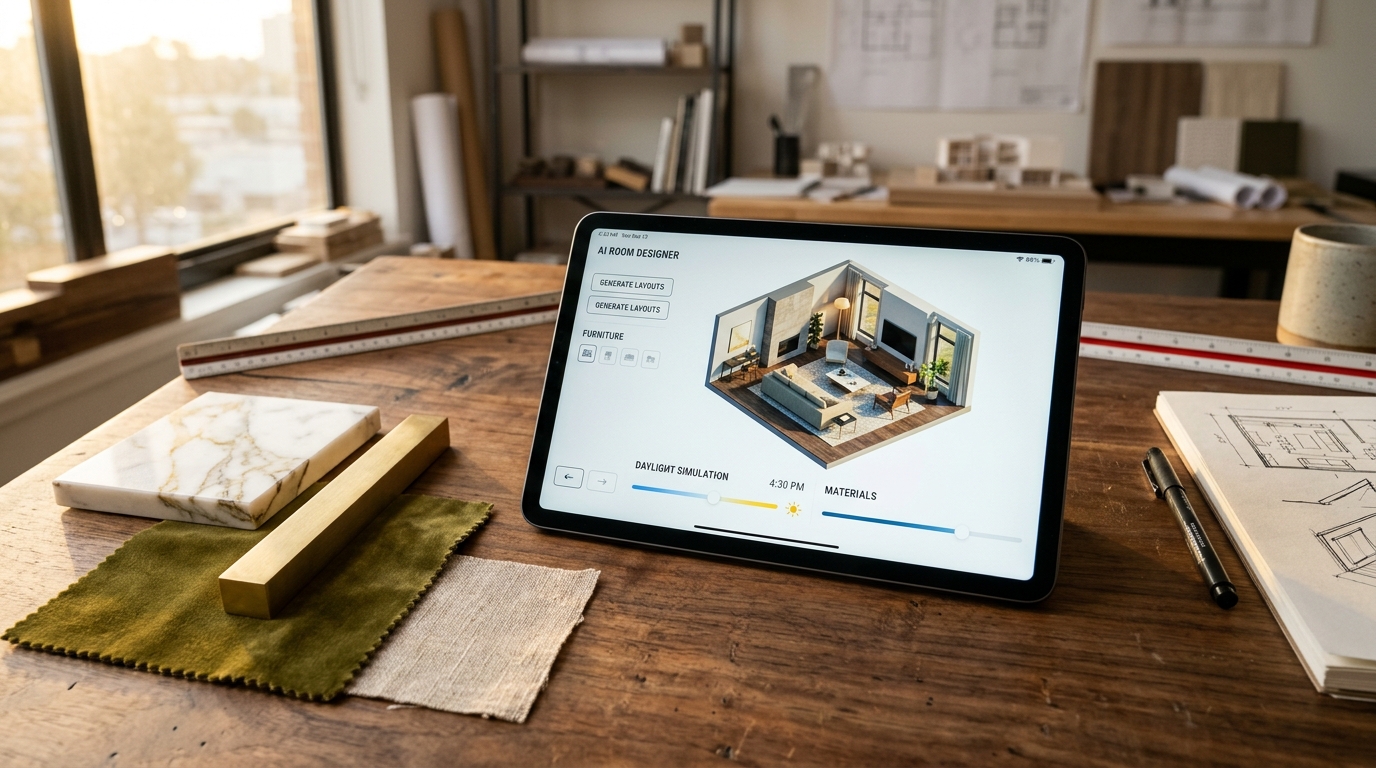
The Master Architectural Prompting Playbook: Syntax, Modifiers, and Negative Tokens
In generative AI, your text prompt is your digital CAD specification sheet. Vague prompts like "modern luxury beautiful living room" produce generic, plastic-looking hotel lobbies filled with oversaturated yellow lighting and cliché velvet furniture. Professional prompts, by contrast, specify precise architectural materials, lighting physics, optical camera parameters, and historical design movements.
The Architectural Prompt Anatomy
Structure every spatial generation prompt using the following standardized six-tier architectural formula:
Field-Tested Architectural Prompt Templates
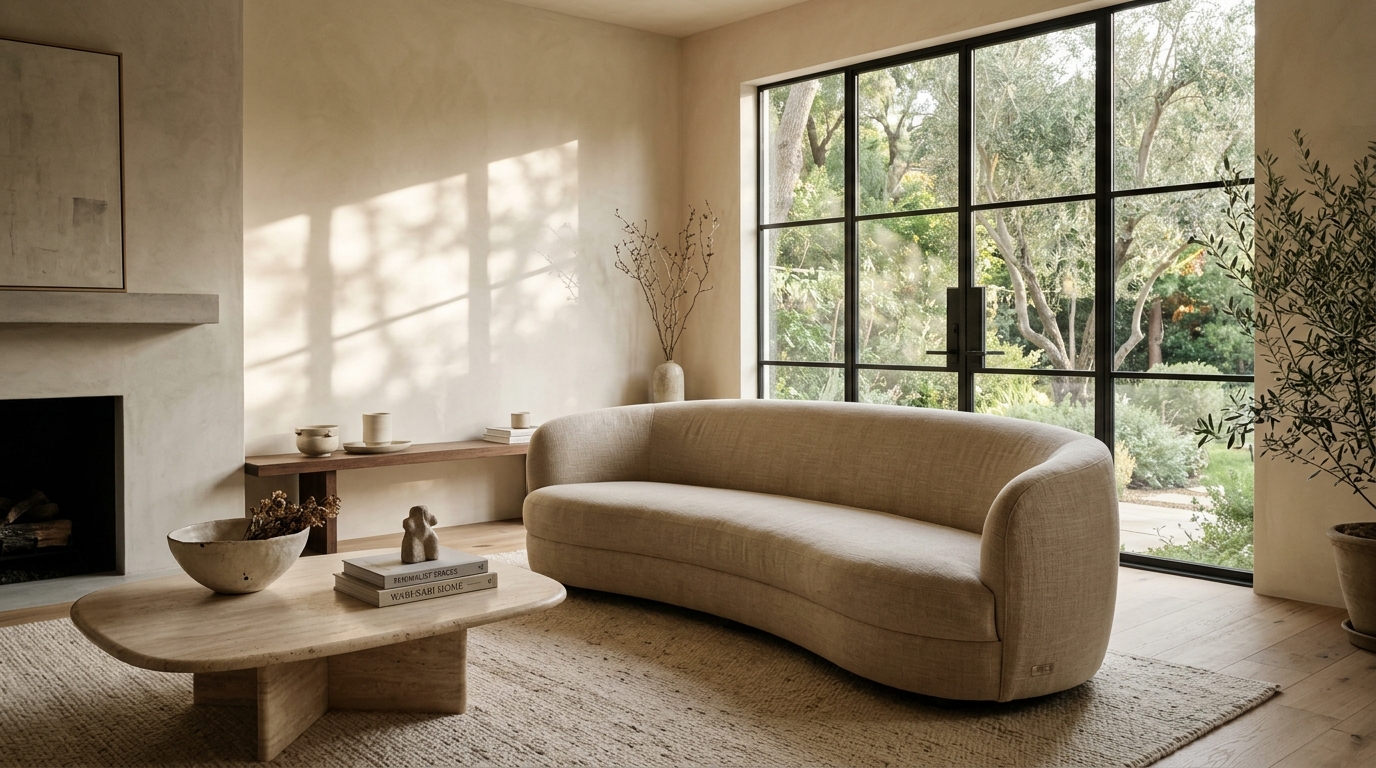
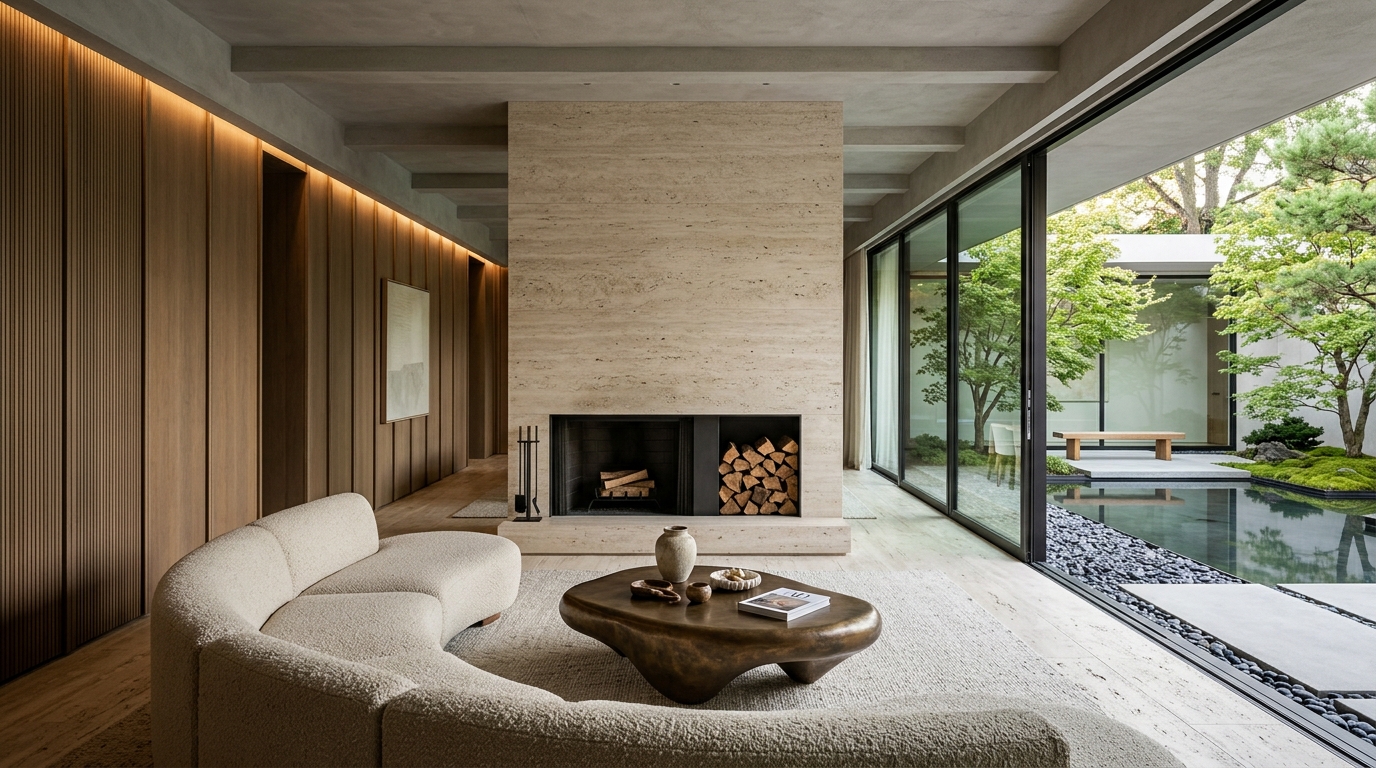
"Architectural interior photograph of a warm minimalist living room, Axel Vervoordt aesthetic. Walls in hand-troweled Roman clay plaster in cremèle undertones, wide-plank wire-brushed French white oak flooring with matte oil finish. Central monolithic honed Roman travertine coffee table with soft rounded edges, low-slung curved modular sofa upholstered in textured oatmeal bouclé. Large floor-to-ceiling black steel casement windows framing Japanese courtyard bamboo. Floor-pooling unlined sheer Belgian linen drapery. Subtle 2700K indirect perimeter ceiling cove wash, diffuse morning light, Hasselblad H6D-100c, 28mm f/8, photorealistic 8k, architectural digest feature --ar 16:9 --style raw"
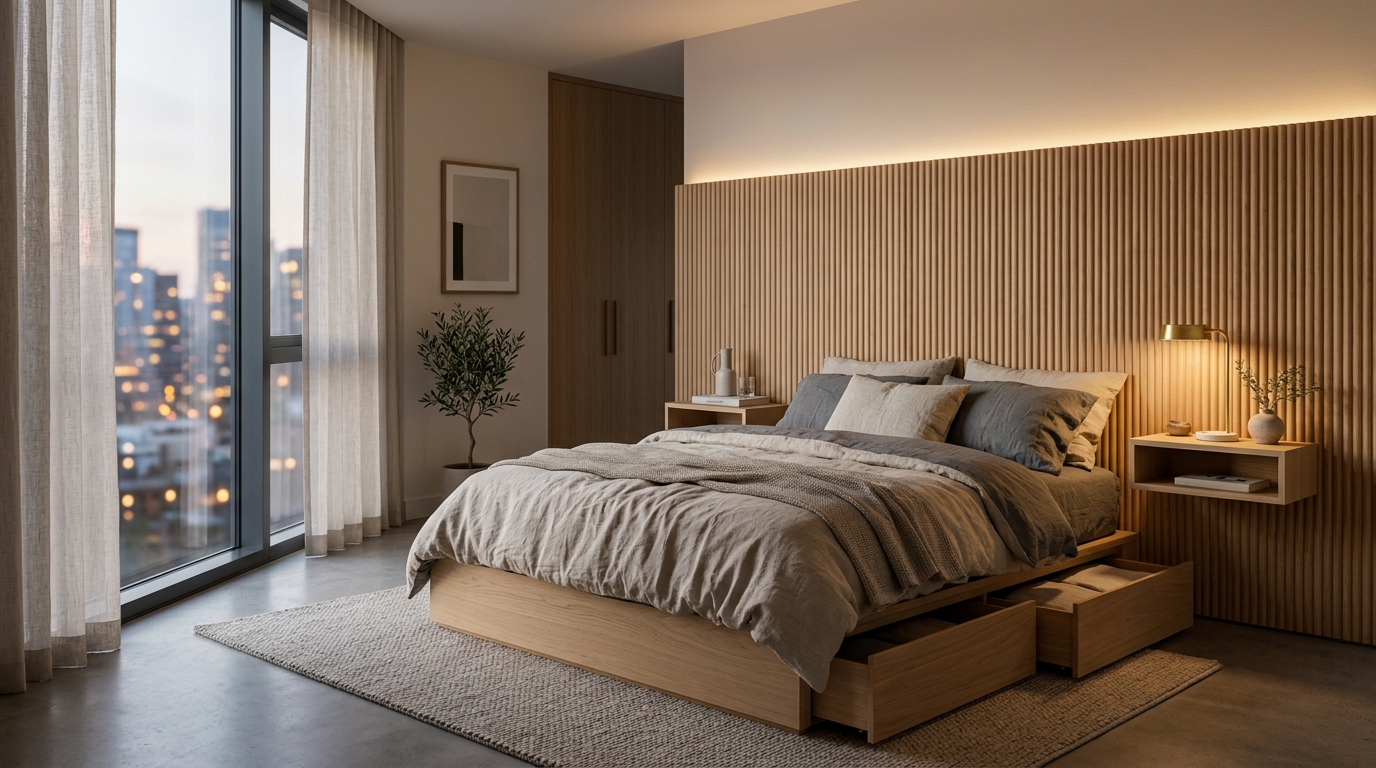
"High-end architectural photograph of a compact Japandi primary bedroom suite. Low-profile solid cedar platform bed with integrated wall-to-wall fluted oak acoustic headboard and floating nightstands. Washed Belgian linen bedding in slate and unbleached flax. Slaked lime plaster walls, single suspended Noguchi Akari washi paper sphere pendant luminaire emitting warm 2400K golden halo. Minimalist blackened steel pocket door, natural morning light filtering through cedar wood blinds, zero clutter, serene monastic calm, Kinfolk magazine styling, photorealistic 8k --ar 16:9"
"Minimalist luxury kitchen architecture. Monolithic kitchen island clad in honed Calacatta Viola marble with continuous bookmatched waterfall edges and smoked walnut fluted cabinetry base. Handleless floor-to-ceiling fumed oak joinery concealing integrated Miele appliances. Unlacquered living-finish architectural bronze deck-mounted tapware. Large-format honed limestone floor slabs (36x36 inch), concealed linear ceiling reveal with warm 2700K architectural wash, diffuse twilight illumination, architectural digest interior, 8k --ar 16:9"
The Universal Negative Prompt Specification
Negative prompts instruct the neural network on what patterns and pixel configurations to actively suppress during the denoising phase. Always feed the following comprehensive negative token string into your AI generator to eliminate plastic-looking outputs:
Where Free AI Room Design Excels vs. Where It Fails Architecturally
To avoid costly mistakes during an actual residential renovation, one must draw a firm demarcation between conceptual visual ideation and architectural construction documentation. Generative AI is an extraordinary visualization tool, but it is fundamentally incapable of engineering physical reality.
Where Free AI Excels (High Velocity Ideation)
- Rapid Material & Palette Prototyping: In under five minutes, you can visualize an existing room rendered in five distinct material languages: Japandi cedar, Belgian warm minimalism, industrial blackened steel, or classic French limestone plaster.
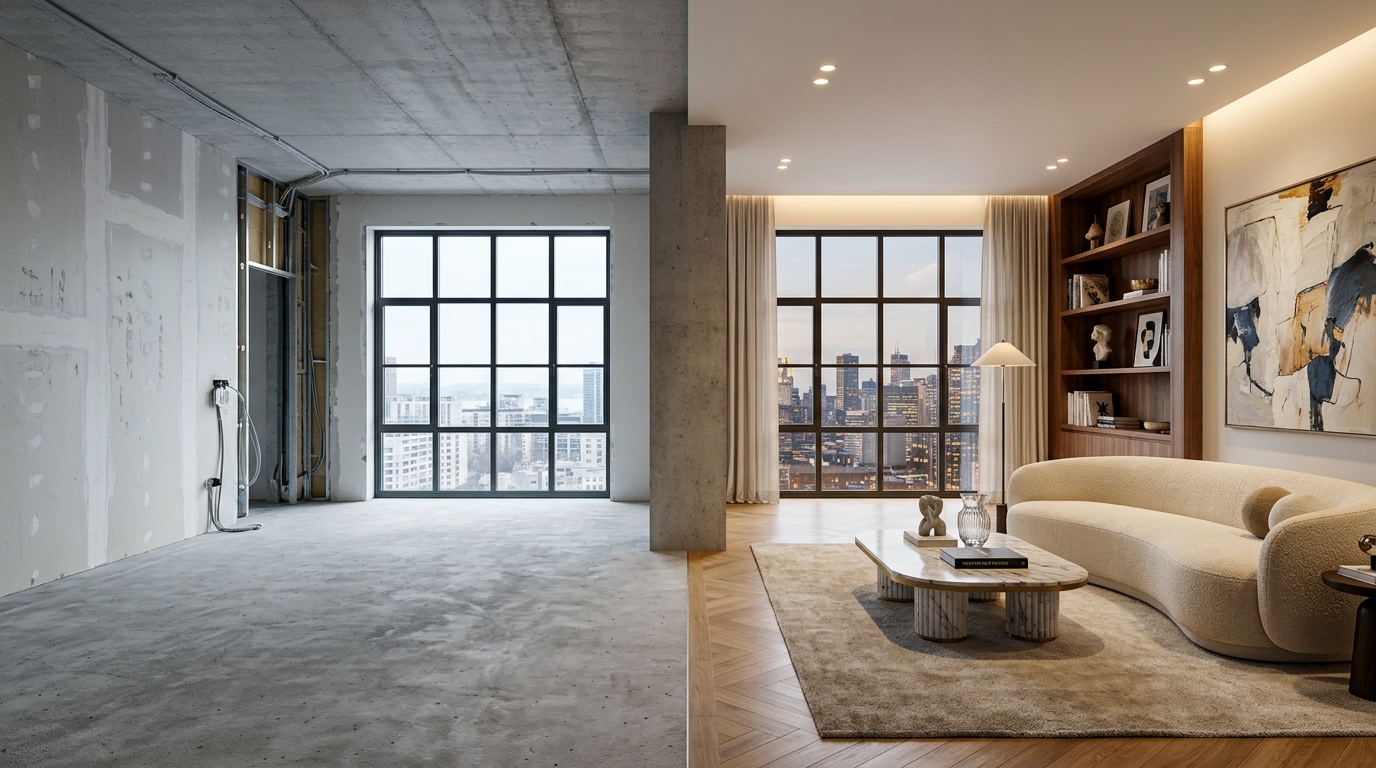
- Real Estate Virtual Staging: Transforming cold, empty concrete development units into aspirational, furnished luxury homes for digital marketing listings at zero physical staging cost.
- Overcoming Client Imagination Deficits: Clients frequently struggle to interpret 2D black-and-white architectural floor plans. Showing an AI-generated 3D conceptual staging immediately establishes emotional buy-in.
- Natural Daylight Simulation: Visualizing how changing window drapery from heavy velvet curtains to sheer unlined Belgian linen impacts morning light diffusion across wall surfaces.
Where Free AI Fails (Fatal Structural Blindspots)
- Structural Load-Bearing Calculations: AI has zero concept of structural physics. It will blithely suggest removing an 8-inch reinforced concrete shear wall or heavy load-bearing timber post to create an open-plan kitchen, which would result in catastrophic structural ceiling collapse.
- Plumbing Stacks & Wet-Wall Physics: AI frequently places toilets, freestanding tubs, and kitchen sinks in arbitrary corners with no regard for 4-inch soil drain stacks, waste venting, or hot/cold water supply routing.
- Egress Codes & Building Clearances: AI models routinely render king beds with only 8 inches of passage clearance to walls, block emergency escape egress windows, or design spiral staircases with fatal riser-tread geometry that violates international residential building codes (IRC).
- Millwork Fabrication Tolerances: An AI image does not generate joinery shop drawings, hinge clearances, shadow reveal details, or substrate preparation specifications. A craftsman cannot build from an AI jpeg alone.
The Hybrid Professional Workflow: How Leading Architects Combine AI with CAD and BIM
Top architectural studios and interior design practices in 2026 do not view generative AI as a replacement for human architects; they deploy it as a high-velocity front-end accelerator within a rigorous Hybrid Design Pipeline.
The hybrid methodology bridges the gap between generative dreaming and physical construction:
Parametric 2D/3D BIM Foundation (Revit / Rhino / SketchUp)
The architect establishes the exact physical boundaries of the space using precision laser measurements or LiDAR scans. Structural columns, window openings, ceiling joists, and plumbing risers are modeled in BIM software with millimeter accuracy, guaranteeing 100% building code compliance.
Depth-Conditioned Generative Exploration
A clay render or wireframe depth-map is exported directly from Rhino or SketchUp and fed into a ControlNet-enabled generative AI model. The designer prompts multiple material dialects (e.g., honed travertine vs. Calacatta Viola, fumed oak vs. bleached cedar) across dozens of variations in minutes, presenting the client with richly textured visual directions without days of manual 3D texturing.
Physical Material Swatch Calibration & Engineering Detailing
Once the aesthetic direction is locked via AI visualization, the studio validates the scheme in the physical world. Real samples of honed limestone, open-grain oak, unlacquered bronze, and linen are evaluated under real site lighting. The BIM model is then populated with verified manufacturer specifications, mechanical engineering schedules, and joinery fabrication drawings ready for contractor tender.
The 10 Fatal AI Spatial Staging Mistakes (And How to Remedy Them)
When inexperienced users attempt to stage a space using generative AI, the results frequently look artificial, structurally warped, or visually disorienting. Through hundreds of spatial generation tests, our studio has categorized the ten most common pitfalls in AI room design, along with their precise algorithmic and prompt remedies.
1. The Downward-Tilted Perspective Distortion
The Error: Snapping the base photo while standing upright and tilting the smartphone downward at a 20-degree angle. The neural depth estimator misinterprets the floor as an inclined plane, causing generated sofas, tables, and cabinets to slide down the floor or tilt forward unnaturally.
The Correction: Lower the camera to 42 inches from the floor (navel height) and level the pitch and roll axes to 0 degrees using your phone's built-in grid and level indicators. Two-point perspective with perfectly vertical walls is mandatory for architectural AI stability.
2. Token Saturation & Prompt Bloat
The Error: Pasting a chaotic 150-word prompt loaded with conflicting aesthetic buzzwords: "ultra luxury modern minimalist boho scandinavian rustic industrial warm cozy cinematic 8k octane render hyperrealistic". The neural network's cross-attention mechanisms fracture, producing a messy visual chimera where exposed brick, chrome, and rustic rattan collide incoherently.
The Correction: Discipline your prompt to a single, focused architectural movement and maximum two complementary materials (e.g., "Belgian warm minimalism, hand-troweled Roman clay, honed Roman travertine, unlacquered bronze"). Fewer, highly specific material nouns always yield superior photorealism.
3. The Floating Leg & Ghost Geometry Glitch
The Error: Generated chairs and tables appear with five legs, disconnected floating pedestals, or legs that dissolve into the hardwood floorboards with no cast contact shadows.
The Correction: Inpaint the base of the furniture legs at higher denoising strength (0.65) with specific prompt terms like "crisp contact ambient occlusion shadow, furniture legs resting firmly on wool rug surface", or specify monolithic plinth furniture (block tables and low platform beds) that sit flat on the floor with zero spindly legs.
4. Mixed Kelvin Color Temperature Clashes
The Error: Prompting warm 2400K ambient light while the source photograph has glaring 6500K blue daylight streaming through windows. The AI struggles to resolve the competing color vectors, resulting in muddy orange and greenish chromatic banding across walls.
The Correction: Harmonize your lighting vocabulary. If prompting morning or midday sunlight, specify "diffuse overcast natural daylight, neutral 5000K daylight balance, soft shadows". If prompting evening mood, specify "twilight exterior sky, interior illuminated exclusively by warm 2400K indirect LED coves and table lamps".
5. The "Impossible Window" Hallucination
The Error: The AI places a floor-to-ceiling glass window where an interior party wall or elevator core exists in the real building, creating an impossible visual promise of outdoor garden views.
The Correction: Use ControlNet LineArt or Canny conditioning at a minimum strength of 0.80 to permanently lock opaque wall planes, or mask exterior walls completely during generative passes so only internal decor elements are synthesized.
6. Ignoring Human Circulation Clearances
The Error: The AI stages a stunning 10-seater dining table in an 11-foot wide room, leaving only 8 inches between the chair backs and the walls—rendering the dining room physically unusable in practice.
The Correction: Before feeding photos into AI, physically measure your room and establish clearance minimums (36 inches for dining chairs, 30 inches for living room walkways). In your prompt, specify scaled furniture (e.g., "compact 4-seater round pedestal table, 48-inch diameter") rather than open-ended furnishings.
7. Glossy Plastic Surface Reflections
The Error: Furnishings look like glossy plastic toys or cheap 3D video game assets with unnatural, hyper-reflective white highlights on every edge.
The Correction: Incorporate high-tactility low-sheen keywords into your positive prompt: "ultra-matte finish, unhoned natural stone, open-grain timber, unpolished plaster, tactile linen weave" and actively ban "high gloss, specular sheen, reflective plastic, lacquer" in your negative prompt.
8. Crooked Artwork & Warped Picture Frames
The Error: Wall-mounted artwork renders with warped, wavy frame borders or abstract squiggles that look unmistakably AI-generated.
The Correction: Prompt for large-format singular artworks with minimal or frameless profiles (e.g., "singular oversized unframed textured plaster canvas, neutral gesso impasto") or add real, licensed artwork manually in Photoshop during post-production.
9. The Cluttered Knick-Knack Nightmare
The Error: Leaving negative space unspecified, prompting the AI to fill every shelf, table, and windowsill with random glassware, books, and generic vases.
The Correction: Explicitly command architectural negative space: "monastic restraint, uncluttered horizontal surfaces, singular wabi-sabi vessel on bare console, 70% empty wall planes, quiet breathing room".
10. Forgetting Optical Camera Physics
The Error: Allowing the neural network to default to extreme wide-angle focal lengths (14mm), creating warped, stretched furniture along the periphery of the frame.
The Correction: Ground the prompt in genuine architectural camera lenses: "captured on 35mm architectural tilt-shift lens, rectilinear projection, zero barrel distortion, aperture f/8 for deep depth of field".
Zero-Cost Local Hardware Setup: Running Stable Diffusion XL & ControlNet Locally
While cloud-based web apps (like RoomGPT and Interior AI) are convenient for casual experiments, they charge monthly subscription fees, throttle daily credits, and downscale output resolution. For homeowners, architects, and 3D visualizers seeking 100% free, unlimited, private, and full-resolution spatial design capability, running a local open-source instance is the professional choice.
Recommended Hardware Specifications
- GPU: NVIDIA RTX 3060 (12GB), RTX 4070, or higher with CUDA 12 support
- System RAM: 32 GB DDR4/DDR5
- Storage: 100 GB available NVMe M.2 SSD storage for checkpoints
- Processor: Apple M1 Pro / M2 Max / M3 / M4 with 16GB+ Unified Memory
- Acceleration: Native MPS (Metal Performance Shaders) execution via PyTorch
- Storage: 80 GB available internal SSD space
The 4-Step Open-Source Software Stack
- Web UI Interface: Install AUTOMATIC1111 or ComfyUI (free on GitHub), which provides a local browser-based GUI for orchestrating neural generation pipelines.
- Foundational Base Model: Download the open-weights Stable Diffusion XL (SDXL) Base 1.0 checkpoint (6.6 GB) or specialized architectural fine-tunes like Architectural Interior XL from HuggingFace.
- Spatial Guidance Modules: Download the ControlNet-LLLite Depth and ControlNet Canny models for SDXL (approximately 800 MB each). These plug directly into your Web UI to read depth from your room photos.
- Super-Resolution Upscaler: Configure 4x-UltraSharp or Nomos8kDAT upscaler models to render final high-resolution 4K and 8K prints suitable for client presentation boards.
Economic & Efficiency Benchmark: Traditional 3D Rendering vs. Generative AI Pipelines
Understanding the return on investment (ROI) of incorporating generative AI into your interior design workflow requires examining both temporal velocity and capital expenditures. In traditional practice, producing high-fidelity 3D renderings for a residential client represents one of the largest budget line-items and timeline bottlenecks in the pre-construction phase.
| Workflow Metric | Traditional 3D Studio Pipeline | Generative AI Spatial Pipeline | Operational Variance |
|---|---|---|---|
| Turnaround Time per Room | 5 to 10 business days per room concept | 45 to 90 seconds per concept variation | 98% reduction in initial turnaround velocity |
| Direct Production Cost | \ – \,500 per finalized 4K perspective render | \ (Free open-source) to \/month (SaaS cloud tier) | Over 95% capital cost reduction during ideation |
| Material Revision Agility | Requires manual re-texturing, UV unwrapping, and full cloud re-rendering (4–8 hours) | Instant textual inpainting modification (swap walnut to travertine in 30 seconds) | Real-time live client presentation modifications |
| Software Tooling & Licensing | 3ds Max (\,875/yr) + V-Ray / Corona (\/yr) + Adobe CC (\/yr) | ComfyUI / AUTOMATIC1111 (Free Open-Source) or web SaaS (\–\/yr) | Eliminates thousands in recurring annual overhead |
| Hardware Compute Requirements | Dedicated multi-CPU render farms or expensive cloud rendering credits | Single consumer workstation with 8GB–16GB consumer GPU or local Apple Silicon | Decentralized, accessible high-performance computing |
As the benchmark demonstrates, generative AI spatial tools do not merely optimize existing processes by small margins; they transform the economics of interior design ideation. Rather than rationing client visualizations to two or three expensive fixed perspectives, designers can present ten to twenty deeply considered conceptual directions during the initial schematic design phase—dramatically reducing client friction and ensuring profound aesthetic alignment before construction documents are drafted.
Hardware Optimization for Apple Silicon (M1/M2/M3/M4)
If running Stable Diffusion locally on macOS, enable PyTorch's native MPS (Metal Performance Shaders) backend with the command-line flag --opt-sub-quad-attention and specify FP16 precision. This halves unified memory consumption from 14GB down to just 6.8GB, allowing 1024x1024 architectural renders to complete in under 28 seconds on an M3 Max chip without thermal throttling or loud fan noise.
The Future Horizon: Spatial Computing, Apple Vision Pro & Generative BIM
As we advance deeper into 2026, the boundaries between 2D generative AI imagery and real-time physical immersion are rapidly dissolving. The next evolution of spatial design is not happening on flat computer screens, but inside Spatial Computing headsets like Apple Vision Pro, Meta Quest Pro, and neural 3D Gaussian Splatting environments.
The emerging technological frontiers transforming the profession include:
- Real-Time Spatial Mixed-Reality Staging: Putting on a mixed-reality headset inside an empty unfurnished penthouse apartment and walking around full-scale, photorealistic holographic representations of custom furniture, millwork, and stone islands. You can run your hand along virtual counters, inspect fabric weave under real-time room sunlight, and physically experience circulation clearances before a single board of timber is cut.
- Neural Radiance Fields (NeRFs) and 3D Gaussian Splatting: Rather than generating static 2D perspective renderings, modern AI models synthesize complete 3D volumetric radiance fields from a single 30-second smartphone video walk-through. Users can freely navigate through the rendered space with millimeter depth parallax, zero polygon mesh clipping, and true physical light refraction.
- Generative Building Information Modeling (BIM): The transition from generative pixels to generative parameters. Instead of merely outputting pretty pictures, next-generation AI platforms automatically generate fully coordinated Revit models—complete with structural schedules, mechanical duct routing, embodied carbon lifecycle calculations, and contractor pricing sheets.
Frequently Asked Questions: Free AI Room Design Decoded
1. Is free AI room design accurate enough to use for real home renovations?
Free AI room design is exceptional for visual ideation, moodboarding, color testing, and style exploration, but it is not accurate enough to use directly for physical construction. AI generators do not understand millimeter tolerances, structural load-bearing requirements, plumbing vents, or electrical codes. Always translate AI concepts into verified architectural CAD drawings with a licensed professional before ordering materials or demolishing walls.
2. What is the absolute best free AI tool for room design right now in 2026?
For casual homeowners seeking quick 3D visual makeovers from a phone photo, RoomGPT.io and Interior AI offer the fastest, cleanest zero-cost free tiers. For design professionals and enthusiasts seeking unlimited, zero-cost, photorealistic generation with total control over depth maps and structural edges, Stable Diffusion XL paired with ControlNet (running locally or via free Google Colab notebooks) remains the unmatched gold standard.
3. Can AI room design tools use real furniture that I can actually buy?
Most free generative diffusion tools synthesize original, fictional furniture inspired by general design movements rather than specific catalog SKUs. However, platforms like Planner 5D and specialized virtual staging software allow users to select from digital libraries of real commercially available products (such as IKEA, West Elm, or Poliform), ensuring that every piece visualized in your room layout can be purchased with exact dimensions.
4. How do I prevent AI room generators from moving my actual windows and doors?
Use platforms that support ControlNet Depth or Canny Edge conditioning, and increase the "Structural Fidelity" or "Geometry Strength" slider to at least 0.75 to 0.85. Alternatively, use an "Inpainting" tool to mask out only the open floorplate and furniture zones, leaving the window and door perimeter pixels 100% untouched.
5. Can AI create a 2D floor plan with exact measurements from a photo?
A single regular 2D photo lacks dimensional depth data. However, if your smartphone features a hardware LiDAR sensor (available on iPhone Pro and iPad Pro models since 2020), apps like Polycam, Canvas, or Magicplan use hardware laser pulses to generate a millimeter-accurate 2D floor plan and 3D CAD mesh in seconds simply by scanning the room boundaries.
6. Why do my AI room design renders look like blurry video games or CGI cartoons?
Cartoonish or low-quality renders usually result from two factors: vague prompts and insufficient negative tokens. Specify optical camera parameters in your prompt (e.g., "Hasselblad H6D-100c, 28mm architectural lens, f/8, natural daylight, photorealistic 8k") and always include negative tokens suppressing "CGI, 3D render, cartoon, oversaturated, video game graphics".
7. Can AI room design calculate renovation construction costs?
Generic free image generators cannot estimate costs. However, specialized construction tech AI platforms can analyze spatial floor plans and apply localized regional material indices to generate preliminary budget ballpark estimates. Nonetheless, true construction estimating requires competitive contractor bidding based on detailed architectural specifications.
8. Will AI replace professional architects and interior designers?
No. AI will replace architects who refuse to use AI, but it will not replace the profession itself. Architecture requires human empathy, client psychology, physical site microclimate analysis, structural engineering, building department approvals, and on-site construction management—capabilities far beyond the scope of neural networks.
9. How do I virtually stage an empty room to sell a home faster?
Take a level photo at 42 inches camera height in diffuse overcast daylight. Upload it into Interior AI or RoomGPT, select the "Contemporary" or "Warm Minimalist" preset, and set fidelity to 0.80. The AI will place neutral, elegant furniture into the empty room, allowing prospective buyers on real estate portals to immediately visualize spatial scale and lifestyle potential.
10. Can I redesign a kitchen or bathroom with free AI tools?
You can explore kitchen finishes (e.g., marble vs. quartz countertops, flat-panel oak cabinets vs. fluted walnut), but do not rely on AI for appliance clearances, plumbing connections, or range hood ventilation runs. Kitchens and bathrooms are the most mechanically complex zones in a house and require professional spatial engineering.
11. Are images created with free AI tools copyrighted or commercially usable?
Under current US and international copyright law rulings, purely AI-generated imagery cannot be copyrighted because it lacks human authorship. Furthermore, terms of service vary: most free tiers allow personal non-commercial use, while commercial rights for real estate marketing typically require a paid tier or open-source software like Stable Diffusion.
12. What is the fastest way to turn an AI room concept into physical reality?
Export your top three favorite AI-generated concept images, note the specific material and lighting qualities you love, and share them directly with an architectural design engineering studio. The architects can rapidly reverse-engineer the images into real floor plans, source authentic natural materials, and coordinate structural construction.
Conclusion: Empowering Architectural Imagination
Free AI room design tools have democratized spatial visualization, putting the creative power of high-end architectural rendering into the hands of everyone. When used thoughtfully as a collaborative creative partner—respecting its immense visualization velocity while acknowledging its structural boundaries—generative spatial AI accelerates your journey toward creating a home of exceptional beauty and timeless architectural poise.
Turn Your AI Concepts into Physical Architecture
Have you generated an inspiring AI room concept but need professional architectural execution, structural engineering, precision millwork shop drawings, and authentic material sourcing? Rowui bridges the digital and physical worlds to bring your vision to life.
Curated Spatial Technology, Digital Tools & Wikipedia Lexicon
For digital designers, computational architects, and spatial analysts seeking technical display standards, AI staging protocols, and cognitive spatial references, explore our curated external research directory:
Spatial Technology Lexicon (Wikipedia)
- Pixel Density (PPI) Calibration
- Display Resolution & Dot Pitch
- ISO 7810 ID-1 Physical Calibration
- Computer-Aided Design (CAD)
- Building Information Modeling (BIM)
- 3D Spatial Photogrammetry
- Neural Radiance Fields (NeRF)
- Generative Spatial AI Models
- Architectural Blueprint Scaling
- Metric & Imperial Scale Ratios
- Neuroarchitecture Cognitive Science
- Spatial Cognition & Parietal Lobe
- Mental Rotation 3D Processing
- Default Mode Network Restoration
- Flow State Cognitive Psychology
- Virtual Spatial Staging Workflows
- Display Aspect Ratio Geometry
- Display Ergonomics & Eye Relief
- Jigsaw Tessellation Mechanics
- Computational Geometry Algorithms
- LiDAR Point Cloud Generation
- Physically Based Ray Tracing
- Immersive VR Spatial Simulation
- Architectural Dimensioning Rules
- Laser Distance Metrology
- Sub-Pixel Lens Geometries
- ICC Display Color Management
- Parallax Error Compensation
- Digital Circadian Display Lighting
- Spatial User Interface Ergonomics
- 3D Computer Graphics Pipelines
- Visual Depth Perception
- Stereoscopic Binocular Displays
- Spatial Augmented Reality Systems
- Spatial Computer Vision
- Polygonal Mesh Topology
- Parametric Computational Design
- Architectural Digital Twins
- Voronoi & Geometric Tessellations
- Orthographic Plan Projections
- Volumetric Ray Marching
- Signed Distance Fields (SDF)
- Octree Spatial Partitioning
- Spatial Indexing Algorithms
- High-Dynamic-Range (HDR) Lighting
- Binaural Spatial Audio Models
- Head-Mounted Spatial Displays
- Visual SLAM Spatial Tracking
- Point Cloud Processing (PCL)
- Procedural Generative Modeling
Curated Visual Boards (Pinterest)
- Architectural CAD Blueprints
- 3D Architectural Renders
- Virtual Interior Staging
- AI Interior Concept Visuals
- Minimalist Architect Workspaces
- Precision Scale Models
- Contemplative Study Nooks
- Digital Spatial Workstations
- Tactile Geometric Puzzles
- Ergonomic Studio Design
- Isometric Architectural Plans
- Generative Algorithmic Forms
- Augmented Reality Spatial Tools
- Sectional Perspective Drawings
- Ultra-Wide Screen CAD Setups
- LiDAR Point Cloud Aesthetics
- Parametric Pavilion Concepts
- Spatial UI Design Concepts
- Axonometric Diagram Graphics
- Digital CNC & 3D Printing
- 3D Point Cloud Scanning
- VR Architectural Walkthroughs
- Spatial Audio Studios
- Digital Architectural Drafts
- Holographic Spatial Interfaces
- Minimalist CAD Workstations
- Architectural AI Concepts
- Exploded Axonometric Diagrams
- Procedural Spatial Generation
- Algorithmic Architectural Patterns
Institutes & Technical Authorities
- AIA Technology in Arch. Practice (TAP)
- ACM SIGGRAPH Computer Graphics
- IEEE Computational Society
- buildingSMART OpenBIM Standards
- ISO/IEC Technical Display Standards
- National Institute of Building Sciences
- ArchDaily Architecture Technology
- Academy of Neuroscience for Architecture
- Autodesk Architecture Standards
- W3C Web Graphics & Canvas Standards
- Blender Open Source 3D Foundation
- Open Geospatial Consortium (OGC)
- VR/AR Association Spatial Tech
- Khronos Group 3D Web Standards
- Human Factors & Ergonomics Society
- CAADRIA Architectural Research
- ACADIA Computational Architecture
- CAAD Futures Foundation
- Spatial Data Science Consortium
- MIT Spatial Computation Group
Reference Links & Verified Digital Resources
Authoritative spatial tools, developer ecosystems, external architectural documentation, and partner directories:
- penggarisonline.blogspot.com
- penggarisonline.bolt.host
- penggarisonline.id
- penggarisonline.lovable.app
- penggarisonline.zite.so
- speakerdeck.com/penggarisonline
- penggarisonline.base44.app
- about.me/penggarisonline
- coub.com/penggaris-online
- gravatar.com/penggarisonline
- linktr.ee/penggarisonline
- mylinkhub.cc/penggarisonline
- vimeo.com/penggarisonline
- facebook.com/PenggarisOnline
- instagram.com/penggaris_online
- pinterest.com/penggarisonline
- quora.com/profile/Penggaris-Online
- reddit.com/user/penggarisonline
- tiktok.com/@penggarisonline
- tumblr.com/penggarisonline
- youtube.com/@PenggarisOnline
- solo.to/penggarisonline
- corriv.com/penggarisonline
- demo.larasocial.app/penggaris.online
- community.fandom.com/wiki/User:Penggarisonline
- independent.academia.edu/PenggarisOnline
- letterboxd.com/penggarisonline
- medium.com/@penggarisonline
- myanimelist.net/profile/penggarisonline
- scholar.google.co.in/citations
- seekingalpha.com/user/65134078
- substack.com/@penggarisonline
- atlasobscura.com/users/a659ab4e-15bd-4d95-...
- boredpanda.com/contributor/ruler
- dpreview.com/forums/members/penggaris-...
- goodreads.com/user/show/204538595-pengg...
- intensedebate.com/profiles/penggarisonline
- polygon.com/profile/GE129332
- sbnation.com/users/VRXoQY6BFF/penggari...
- slideshare.net/penggarisonline
- ted.com/profiles/52204510
- tripadvisor.com/Profile/penggarisonline
- wikihow.com/User:Penggaris-Online
- writeupcafe.com/author/penggarisonline
- wakelet.com/@PenggarisOnline
- profile.hatena.ne.jp/penggarisonline
- penzu.com/p/211280e39d596a9e
- penggarisonline.bluxeblog.com/76006774/cara-kalibrasi-p...
- payrchat.com/blogs/96862/apa-itu-ppi-k...
- ka-blogs.com/posts-list
- penggarisonline.fare-blog.com/448224/penggaris-online-d...
- naya.com.np/post/p1792315927ejefd
- diigo.com/item/note/c15pl/qkth
- penggarisonline.blogminds.com/cara-mengecek-ukuran-laya...
- share.evernote.com/note/74f23666-3cee-e718-b...
- instaconnect.co/read-blog/149962
- penggarisonline.aioblogs.com/96238471/cara-mengukur-uk...
- zekond.com/read-blog/408162
- medium.com/@penggarisonline/cara-men...
- webypost.com/cara-mengukur-ukuran-ceta...
- thefeedfeed.com/penggaris-online/articles...
- writeupcafe.com/cara-mengukur-ukuran-gela...
- penggarisonline.blogspot.com/2026/10/cara-mengukur-uku...
- alphacoders.com/users/profile/371831/peng...
- au.blurb.com/user/penggarisonl
- contra.com/penggaris_online_8fhnkfu8...
- creativemarket.com/users/penggarisonline
- my.archdaily.com/us/@penggaris-online
- my.archdaily.com/us/@penggaris-online/folders
- penggarisonline.bandcamp.com
- pixabay.com/users/penggarisonline-577...
- pxhere.com/en/photographer/5149838
- sketchfab.com/penggarisonline
- unsplash.com/@penggarisonline
- artstation.com/penggarisonline9
- behance.net/penggarisonline
- dreamstime.com/penggarisonline_info
- mixcloud.com/penggarisonline
- reverbnation.com/penggarisonline
- thingiverse.com/penggarisonline/designs
- zazzle.com/mbr/238712557069102265
- soundcloud.com/penggaris-online
- noteflight.com/profile/4c892956edac377d6...
- magcloud.com/user/penggarisonline
- bandlab.com/penggarisonline
- addons.mozilla.org/en-US/firefox/user/20185177
- aulasvirtuales.zaragoza.unam.mx/cv/user/profile.php
- community.atlassian.com/user/profile/fe92b307-8ee...
- developer.cisco.com/user/profile/ef3c017b-ac3...
- edex.adobe.com/community/member/s-LAaRjmm
- github.com/penggarisonline
- l10n.gnome.org/users/penggarisonline
- moodle.org/user/profile.php
- peatix.com/user/30652163/view
- reason.com
- sourceforge.net/u/penggarisonline/profile
- trello.com/b/ItWrz1GO/my-trello-board
- wellfound.com/u/penggaris-online
- codecademy.com/profiles/penggarisonline
- indiegogo.com/en/profile/penggarisonline
- kickstarter.com/profile/penggarisonline
- producthunt.com/@penggarisonline
- flyingpepper.in/profile/penggarisonline/p...
- intenseturbo.com.au/profile/penggarisonline/p...
- fairygodboss.com/users/profile/Trnvb-D0V_/...
- faceout.mn.co/members/42282376
- hub.docker.com/u/penggarisonline
- crappy-christian.mn.co/members/42282591
- slackcommunity.com/u/mwvnyc
- shippingexplorer.net/en/user/penggarisonline/3...
- dojour.us/u/penggarisonline
- hamiltonparks.net/profile/penggarisonline/p...
- atlasobscura.com/users/c410c947-317c-4efb-...
- gitlab.com/penggarisonline
- leetcode.com/u/GMKtwrkq6o