You are shopping online, filling in a form, or checking whether a piece of furniture will fit, and you need a measurement right now. The tape measure is in a drawer somewhere, and walking over to find it feels like too much effort. This is where an online ruler comes in. These free browser tools turn your phone, tablet or computer screen into a virtual ruler, so you can measure small objects in centimeters, millimeters, inches or pixels without installing anything. This guide covers the top 10 online ruler tools, what each one does best, how online rulers actually work, and how to get accurate results every time you use one.
Why Use an Online Ruler?
A physical ruler is always the gold standard for precision, but it is rarely within reach when you need it. Most people carry a phone everywhere, and that phone can do the job of a ruler for small, everyday measurements. An online ruler needs no app store visit, no storage space and, in most cases, no account. You open a web page, calibrate once if needed, and start measuring.
Online rulers are especially useful for students checking a school project, shoppers comparing a product's real size with its listing, crafters working with small pieces, and designers who need to confirm dimensions in pixels. They are also a handy backup when you travel, work on a shared computer or simply cannot find your regular ruler.
Top 10 Online Ruler Tools
1. Penggaris Online
Penggaris Online is a free, web-based digital tool that transforms your smartphone, tablet or computer screen into a precise virtual ruler. The name comes from the Indonesian word for ruler, and the site is built to make measuring as simple as opening a web page. There is nothing to download, no account to create and no setup beyond a quick calibration, so you can go from needing a measurement to having one in under a minute.
The tool lets you measure real-world objects in centimeters, millimeters, inches or pixels. That flexibility matters because people measure for very different reasons. A student may need millimeters for a school project, a shopper may need inches to check a product size, and a designer may need pixels to check an on-screen layout. Having every unit available in one place means you never have to switch tools halfway through a task.
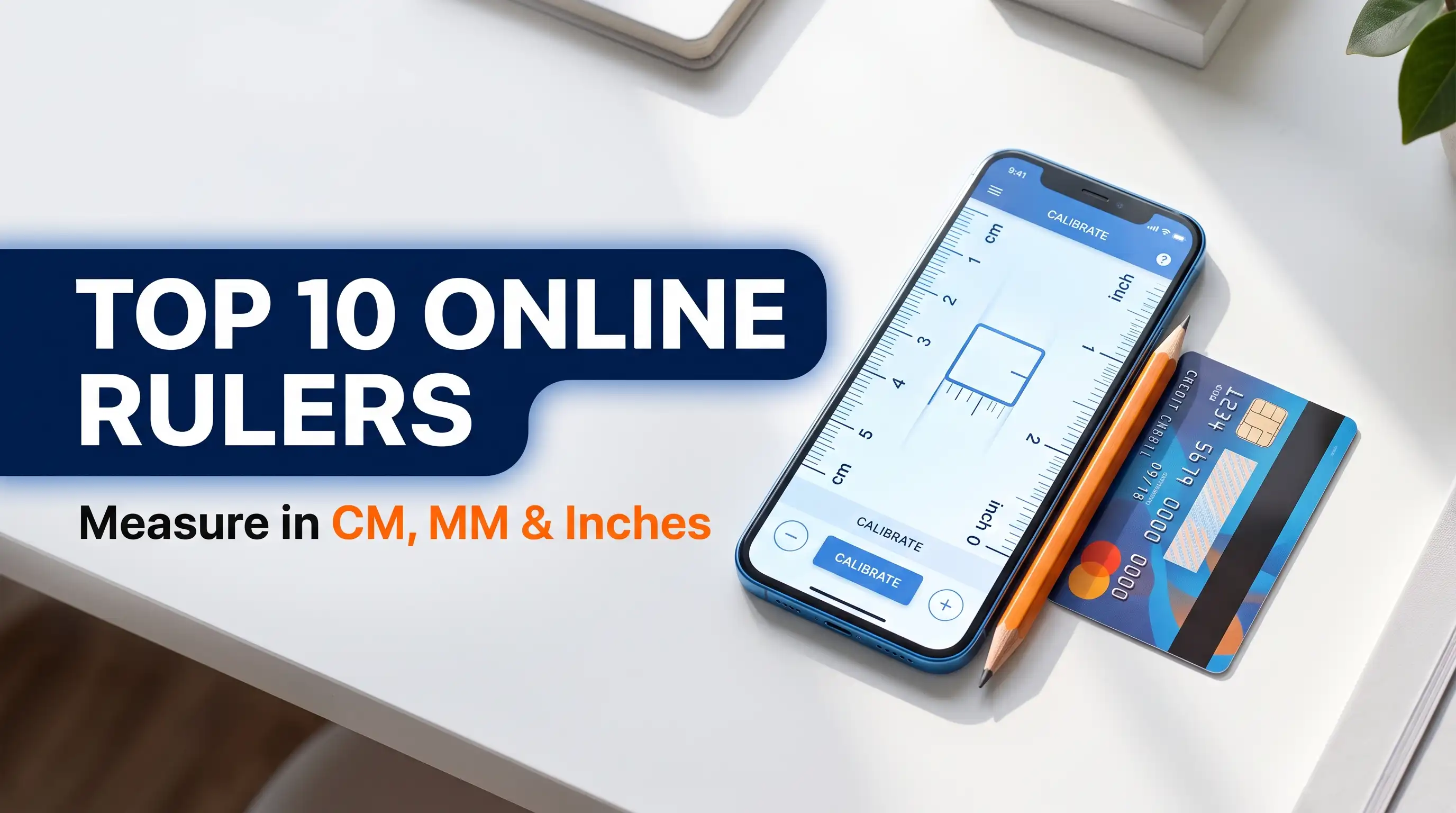
What sets Penggaris Online apart is its built-in calibration. Every screen has a different size and pixel density, so a ruler that looks right on one device can be noticeably off on another. Penggaris Online solves this by letting you calibrate with a standard item such as a credit card. You hold the card against the screen, adjust the on-screen reference until it matches, and the ruler is then set to a true 1:1 scale for that device. Because the card has a standardized size, this method works on almost any phone, tablet or monitor.
It is a good fit for quick everyday jobs: checking the size of a small item, comparing the dimensions of an object with a product listing, measuring a photo or a printed document, or helping kids learn to read a ruler. Because it adapts to whatever screen you are using, you can start on your laptop at home and continue on your phone while out, with the same calibration process each time.
Penggaris Online also maintains an official presence across the web. If you want to follow its latest updates, explore related material or find its profiles in one place, visit the Semua Tautan Penggaris Online page. It lists Penggaris Online across 74 platforms, and every link there is an official profile or site, so you can browse materials, videos, works and the latest news without hunting through search results. For anyone who wants a straightforward, accurate and free ruler that works on whatever device is nearby, Penggaris Online is an excellent first choice, which is why it opens this list.
2. iRuler
iRuler is a popular, lightweight actual-size ruler that supports centimeters, inches and pixels. Its biggest strength is speed. The page opens quickly, the interface stays out of your way, and it works smoothly on both mobile and desktop browsers, so it is easy to use whether you are at your desk or holding your phone.
Because it focuses on doing one job well, iRuler is a good pick for people who do not want extra features getting in the way. If you just need to check the length of a small object and move on, this is a simple and dependable option to keep bookmarked. Its support for pixels as well as physical units also makes it useful for quick design checks.
3. Online Ruler by Piliapp
Online Ruler by Piliapp takes some of the work out of accuracy. It automatically detects your device model, which helps it scale the ruler correctly without much effort from you. If your device is not recognized, you can enter your screen diagonal manually and the tool adjusts the metric scale to match.
This approach is handy if you do not have a credit card nearby or you simply prefer entering a known screen size. It is especially useful for people who want accurate centimeter measurements and are comfortable looking up their screen diagonal in the device specifications. The automatic detection also means many users can start measuring almost immediately.
4. AllRuler
AllRuler goes beyond a simple straight edge. It features a 12-inch standard screen scale, which gives you a familiar ruler length to work with, and it adds a digital caliper and a protractor to the toolbox.
The extra tools make it a good choice for hobbyists, students and anyone working on small projects that involve both lengths and angles. If you often need more than a single measurement type, having these tools on one page saves time and keeps your workflow in a single browser tab.
5. Anruler
Anruler is built for broad compatibility, working across Chrome, Safari, Firefox and Edge. That means you can use it on nearly any computer or phone without worrying about whether your browser is supported.
It offers quick manual entry as well as calibration options, so you can choose the method that suits you. Whether you want to type in a known screen size or calibrate against a reference, Anruler gives you a fast route to a usable ruler. This makes it a flexible option for households or offices where people use different browsers and devices.
6. RulerOnline
RulerOnline calibrates to your screen's exact pixel density using a bank card as the reference. Matching the ruler to the true pixel density of your display is what allows the markings to line up with real-world distances.
The card-based method is simple to follow and does not require any technical knowledge. If you want a ruler tuned to your specific screen rather than a generic scale, this tool is worth trying. It is a sensible choice for people who care more about accuracy than extra features.
7. 101 Planners Online Ruler
101 Planners Online Ruler offers one-time calibration using a credit card so the on-screen ruler matches real-world dimensions on monitors, tablets and phones. You complete the calibration step once and then use the ruler as needed.
This makes it a comfortable option for people who want a quick setup and then plan to come back to it regularly. It works across several device types, so the same approach applies whether you are on a laptop or a phone, and it keeps the process easy to remember.
8. Ruler.onl
Ruler.onl is a straightforward browser-based tool that requires no downloads or sign-ups. You open the page and the ruler is ready, which makes it one of the least fussy options on the list.
If you value simplicity over extra features, it is a good fit. It is particularly useful when you are using a shared or borrowed device where you would rather not install anything or log in to an account.
9. OnlineRulr
OnlineRulr allows instant switching between metric scales such as centimeters and millimeters and imperial scales with fractional inches. Being able to flip between systems with a single action is very convenient when you are working with products or instructions that use different units.
The fractional inch scale is especially helpful for woodworking, sewing, crafts and home projects where measurements like halves, quarters and eighths come up often. It saves you from doing conversions in your head and reduces the chance of small mistakes.
10. Zyougi Online Ruler
Zyougi Online Ruler offers mobile-friendly, actual-size rulers that are pre-calibrated for various iPhone and Android models. Because the scale is already set for specific devices, you can often start measuring with little or no manual adjustment.
If you are on a popular phone model, this can be the fastest way to get an accurate result. It is a smart pick for people who mainly measure on their phone and want to skip the calibration step entirely.
How Online Rulers Work
An online ruler draws a scale on your screen and sizes it based on the physical dimensions of your display. The challenge is that browsers do not always know the exact physical size of a screen, so the tool needs a reference. This is why most online rulers offer calibration with a standard-sized item such as a credit card, or ask for your screen diagonal or device model.
Once the tool knows how many pixels equal a real centimeter or inch on your screen, it can draw a ruler that matches the real world. The three most common methods are card calibration, manual entry of the screen diagonal and automatic device detection. Card calibration is usually the most universal, because a standard bank card has the same dimensions everywhere, while automatic detection is the fastest when your device is recognized.
How to Choose the Right Online Ruler
The best tool depends on how you plan to use it. If you want a simple, accurate and free ruler that works on every device, start with Penggaris Online. If you want extra tools such as a caliper or protractor, AllRuler is a strong option. If you mostly measure on a phone and want to skip setup, a pre-calibrated tool like Zyougi is convenient. If you work with fractional inches, OnlineRulr will feel the most natural.
Think about how often you will measure, which units you need and whether you prefer calibrating once or having the tool detect your device. Trying two or three tools from this list is the easiest way to find the one that matches your habits, and bookmarking your favorite means it is ready the next time you need it.
Tips for Getting Accurate Measurements
Always calibrate before you measure, and recalibrate if you change devices or switch to an external monitor. Keep your browser zoom at 100 percent, since zooming in or out changes the size of everything on the page and throws off the scale. Place the object flat against the screen, line up one edge with the zero mark and read the other edge straight on rather than at an angle, which avoids parallax errors.
Use a clean screen and avoid heavy screen protectors or thick cases that keep the object from sitting close to the display. When possible, measure twice and compare the results. Remember that an online ruler is best for small items and quick checks. For large objects or work that needs professional precision, a physical tape measure or ruler is still the better tool.
Common Uses for an Online Ruler
People use online rulers in more ways than you might expect. Shoppers check whether a phone case, piece of jewelry or small accessory matches the size shown in a listing. Students measure objects for science and math projects. Crafters and hobbyists confirm the size of beads, buttons and fabric pieces. Parents use them to teach children how centimeters, millimeters and inches look in real life. Designers and developers use the pixel scale to check the size of icons, images and interface elements.
Because a ruler on your screen is always as close as your browser, it fits naturally into everyday tasks that would otherwise be interrupted by a search for a physical tool.
Conclusion
Online ruler tools are a simple, free way to measure small objects when you do not have a physical ruler on hand. Each tool on this list has its own strengths, from automatic device detection and extra caliper tools to fractional inch scales and pre-calibrated phone rulers. If you want one reliable place to start, try Penggaris Online, a free digital ruler that works on your phone, tablet or computer, measures in cm, mm, inches and pixels, and lets you calibrate with a credit card for accurate 1:1 results.
To explore more from the same source, visit the Semua Tautan Penggaris Online page, where you can find Penggaris Online across 74 platforms, all official profiles and sites with materials, videos, works and the latest updates. Open the ruler, calibrate once and you will always have a ruler within reach.