How to Make Stardew Valley Type UI (Complete Beginner to Advanced Guide)
Have you ever wondered why the user interface in Stardew Valley feels so warm, intuitive, and timeless? That’s where Cozy UI and Pixel Art Design come into play. Though they look simple, these interfaces rely on specific design principles to create that nostalgic charm. Stardew Valley’s UI is all about the emotional connection—things like warm colors, pixel-perfect fonts, and simple HUDs. On the other hand, the underlying logic is about how players effortlessly interact with these elements without feeling overwhelmed. In this article, we’ll explore the secrets behind Stardew Valley’s UI, why it works so well, and how you can recreate it for your own games. Whether you’re an indie developer or just a fan curious about design, you’re in the right place!
What is Stardew Valley Style UI?
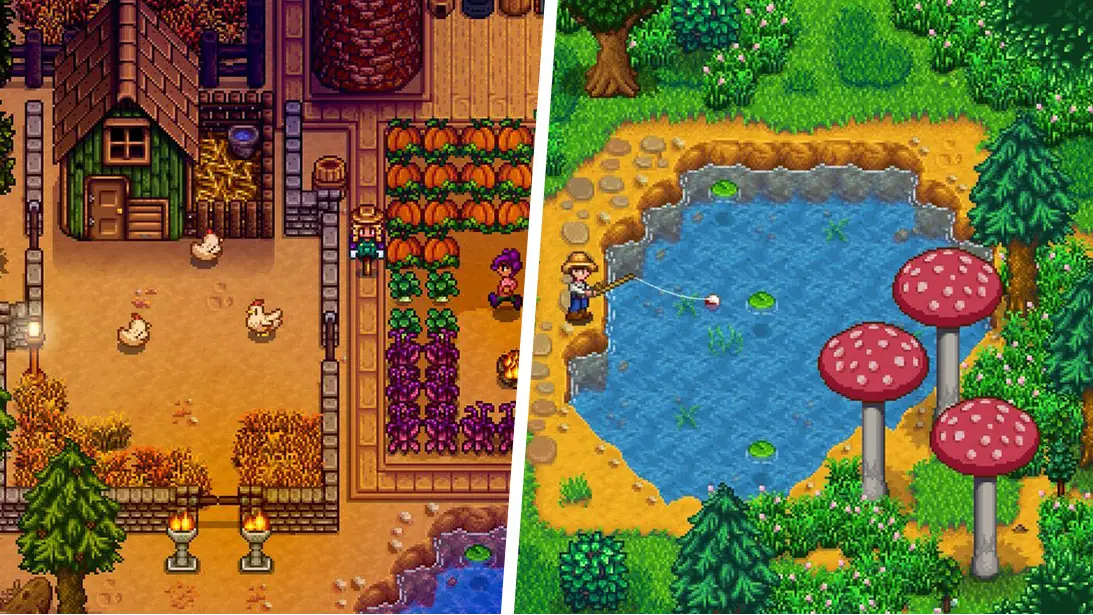
The Stardew Valley interface style focuses on a pixel art aesthetic inspired by SNES-era farming RPGs. Designers are responsible for creating an experience that feels nostalgic yet modern, emphasizing emotional design and clarity such as readable menus, soft edges, and intuitive icons.
Key Features
- Pixel Art Aesthetic: This involves using a consistent pixel grid (like 16×16) to ensure all elements, from buttons to bars, look uniform and retro.
- Warm Color Palettes: The design focuses on using earthy tones—greens, browns, and warm yellows—that are easy on the eyes and align with the game’s cozy nature.
- Simplicity: Ensuring the interface avoids clutter and unnecessary details, prioritizing communication through visuals rather than walls of text.
- Typography: Using specific pixel-style bitmap fonts that are clean and readable, avoiding high-resolution modern fonts that break the immersion.
- Subtle Animation: Creating soft, minimal movements like hover effects or floating icons that provide feedback without distracting the player.
- Accessibility: Ensuring the UI is scalable and readable for all players, which involves adding options for UI scaling and high-contrast modes.
What is the Logic Behind the Design?
The logic behind Stardew Valley’s UI revolves around creating a seamless User Experience (UX). It involves crafting systems that communicate information instantly without confusing the player, encompassing HUD elements, inventory management, and time systems. Developers prioritize usability, ensuring a seamless interaction that keeps the player immersed in the gameplay loop.
Key Features
- Information Hierarchy: Involves using visual cues like crop stages or icons instead of text to convey complex information quickly.
- HUD Design: Essential elements like Health Bars, Energy Bars, and Clocks are placed strategically to be functional yet aesthetically pleasing.
- Inventory Systems: Organizing items in a grid layout with consistent spacing and clear quantity overlays to manage player resources effectively.
- Feedback Loops: Designing inputs where every click or hover provides immediate visual or audio feedback, such as a tooltip appearing over an item.
- Seasonal Themes: Adapting the interface colors and backgrounds to match the in-game season, enhancing the overall atmosphere.
- Code Implementation: Using modular logic for UI elements, such as percentage-based fill systems for health bars or array-based systems for inventory.
Difference Between Realistic and Cozy UI Design
Here are the differences between standard Realistic UI and Stardew-style Cozy UI in different aspects:
| Aspect | Cozy UI (Stardew Style) | Realistic UI |
| Look vs. Feel | Cozy UI focuses on creating a warm, nostalgic feel that addresses emotional comfort. | Realistic UI concentrates on high-fidelity graphics and sleekness with the aim of achieving immersion through detail. |
| Visual Elements | In Cozy UI, pixel art, soft edges, and limited color palettes are used to define the aesthetic. | Realistic UI often involves high-resolution textures, transparency, and complex 3D elements. |
| Complexity vs. Simplicity | The focus of Cozy UI is on simplicity and readability, ensuring the interface is never overwhelming. | Realistic UI often focuses on displaying detailed data and metrics, which can sometimes lead to visual clutter. |
| Information Delivery | Information is delivered through symbols, icons, and visual changes (like a plant growing). | On the other hand, information is often delivered through text logs, detailed stats, and minimaps. |
| User-Centered Approach | A user-centered approach prioritizes preventing eye strain and creating a relaxing rhythm. | A simulation-centered approach prioritizes showing accurate, real-time data regardless of complexity. |
Export to Sheets
How to Create Stardew Valley Style UI?
Starting a project to build a Stardew-like UI is exciting and accessible. If you’re attracted to combining retro aesthetics with modern usability, this is the path for you. Begin by learning the basics of pixel art tools like Aseprite or Piskel to design your assets. Consider studying the original game’s menus to understand grid spacing and layout. Practice what you’ve learned by prototyping in game engines like Unity or Godot, and put together a mock-up to test your ideas. Get comfortable with coding simple logic for things like health bars and clocks, and don’t forget to check out mods from the community—it’s a great way to learn how small tweaks can change the entire feel of the game.
Tools and Engines for UI Design
Here’s a summary of the best tools and engines to use for creating this type of interface:
Pixel Art Tools:
- Aseprite: The gold standard for creating pixel UI and animations.
- Piskel: A free, browser-based tool great for beginners.
- Photoshop/GIMP: Ideal for layering and exporting assets flexibly.
Game Engines:
- Unity: Offers strong UI management through its Canvas system and Pixel Perfect Camera.
- Godot: Known for its node-based system which makes UI creation efficient and organized.
- RPG Maker: Excellent for fast prototyping with prebuilt systems for menus and HUDs.
Common Mistakes to Avoid:
- Mixing different pixel sizes (pixel consistency is key).
- Overusing animations which can distract from the relaxing gameplay.
- Using poor color contrast that reduces readability.
Conclusion
To sum up, both visual aesthetics and logical functionality are crucial in Stardew Valley style UI, each contributing unique aspects to creating exceptional cozy experiences. Understanding the difference between Realism and Cozy Design is vital for aspiring developers, as these styles create very different emotional responses. Whether you choose to build a farming sim or a retro RPG, this style offers timeless appeal and a deep connection with players. So go ahead, dive into the creative world of pixel art UI design armed with a solid understanding of these essential principles.