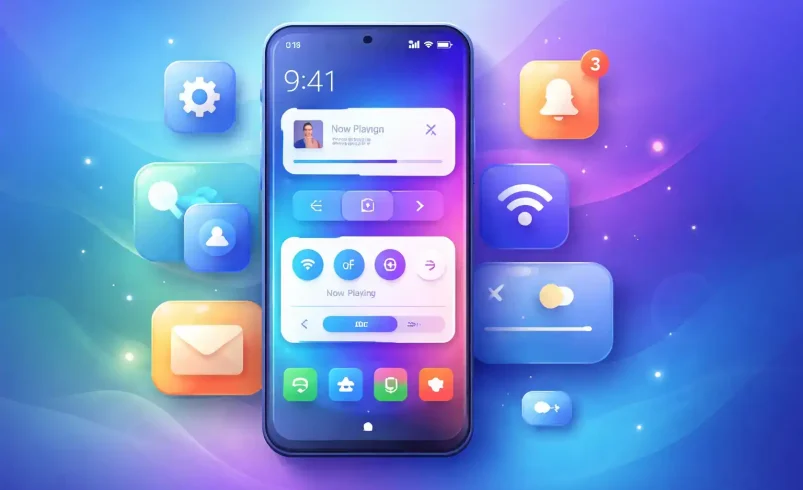
What Is System UI?
Introduction: The Interface You Use Without Realizing It
Every time you check the time, pull down notifications, adjust volume, or switch apps on an Android phone, you are using System UI. It’s always on screen, always active, and yet rarely understood.
System UI is not an app like YouTube or Chrome. Instead, it is the core user interface of Android itself—the visual layer that makes the operating system usable. For designers, developers, and learners in UI/UX or web design, understanding System UI is essential because it defines how users navigate, interact, and trust their devices.
This guide explains what System UI is, what it does, why it’s important, how it differs from app UI, and why it matters deeply for modern interface design.
What Is System UI?
System UI (User Interface) on Android refers to all the visual elements on your screen that aren’t apps.
In simple terms:
If you see something on your Android phone that you didn’t open as an app, it’s part of System UI.
System UI acts as the core interface for navigating your device, managing system settings, and receiving alerts, completely separate from individual app interfaces.
It is itself a core system app, usually identified internally as:
com.android.systemui
This system app is responsible for rendering essential controls that ensure a smooth, consistent user experience across the entire operating system.
System UI Meaning and Definition
System UI Definition:
System UI is the Android system component that renders and manages operating system–level visual elements such as navigation, notifications, system indicators, and device controls.
System UI Meaning in Practice:
It is the layer that sits between the user and the Android OS, making the system understandable, navigable, and usable.
Unlike app UI, which changes from app to app, System UI remains persistent, familiar, and trusted.
System UI vs App UI: A Critical Difference
Understanding this difference is especially important for UI/UX designers and learners.
App UI
- Belongs to a specific app (YouTube, Chrome, Instagram)
- Changes based on brand and function
- Controlled by app developers
System UI
- Belongs to Android itself
- Stays consistent across apps
- Controlled by the operating system and device manufacturer
An app can be closed.
System UI cannot.
Key Functions and Components of System UI
System UI is made up of several core components that users interact with constantly.
Status Bar
The status bar appears at the top of the screen and shows:
- Time
- Battery level
- Network and Wi-Fi status
- Notification icons
- System alerts
It provides at-a-glance system awareness, a fundamental UX principle.
Navigation Bar
The navigation bar allows users to move through the system using:
- Back
- Home
- Recent apps
or gesture-based navigation on newer devices.
This is the primary navigation framework of Android.
Notification Shade / Panel
The notification panel is accessed by swiping down from the top and includes:
- App notifications
- Quick settings (Wi-Fi, Bluetooth, brightness)
- Media controls
- System alerts
This panel is a perfect example of System UI balancing information density with usability.
Lock Screen
The lock screen is also part of System UI. It handles:
- Device unlocking
- Notifications preview
- Clock and date
- Fingerprint and face unlock UI
It is the first interface users see, making it critical for trust and security perception.
Volume and Brightness Controls
When you press volume keys or adjust brightness, the pop-up sliders that appear are System UI elements. These overlays:
- Appear above all apps
- Respond instantly
- Must never fail
They represent system-level responsiveness, not app behavior.
What Does System UI Do?
System UI’s role goes far beyond visuals.
It:
- Guides users through the operating system
- Provides consistent interaction patterns
- Displays real-time system feedback
- Manages overlays like screenshots and screen recording
- Enables accessibility and system dialogs
Without System UI, Android would function internally but be unusable for humans.
Why System UI Is So Important
Navigation
System UI guides users through:
- Apps
- Multitasking
- System settings
Without it, users would be lost inside the OS.
Interaction Consistency
System UI ensures:
- Buttons behave the same everywhere
- Gestures feel predictable
- Feedback is immediate
This consistency is a cornerstone of good UX design.
Customization
System UI allows customization at both system and brand levels.
Manufacturers like Samsung (One UI), Xiaomi, and Pixel modify System UI to:
- Match brand identity
- Improve usability
- Differentiate their devices
Users can often customize colors, layouts, navigation styles, and dark mode through System UI.
Immersive Experience
System UI also supports immersive design.
Developers can temporarily hide parts of System UI—like the status bar or navigation bar—for:
- Full-screen games
- Video playback
- Reading experiences
Even when hidden, System UI remains active and ready.
Is System UI a Virus?
No. System UI is not a virus.
It is a trusted, essential Android system app. Confusion happens because users see error messages like:
- “Unfortunately, System UI has stopped”
- “System UI not responding”
These messages indicate system errors, not malware.
Is System UI Safe?
Yes. System UI is completely safe and required for Android to function.
Problems usually come from:
- Buggy updates
- Corrupted cache
- Conflicting third-party apps
- Heavy UI customizations
- Manufacturer firmware issues
Common System UI Problems Explained
Users frequently report issues such as:
- System UI keeps stopping
- System UI crashing
- System UI frozen or lagging
- Black screen errors
- High CPU or battery usage
From a UX standpoint, these issues highlight how system-level UI failures feel far more serious than app crashes, because they affect the entire device.
System UI and Performance
Because System UI runs constantly in the background, it has a direct impact on:
- Battery life
- CPU usage
- Memory consumption
- Overall device smoothness
Poorly optimized System UI leads to:
- Laggy animations
- Delayed touch responses
- Reduced user trust
This is why lightweight, efficient system design matters—especially on low-end devices.
System UI Across Different Android Brands
While the concept of System UI is universal, its implementation varies.
- Samsung (One UI): Large touch targets, one-hand usability
- Pixel: Clean, minimal, Google-first experience
- Xiaomi / Redmi: Feature-rich, heavily customized UI
- OnePlus: Speed-focused, close to stock Android
- Oppo, Vivo, Realme: Visually dense, customization-heavy
- Motorola: Near-stock, performance-oriented UI
For designers, this proves that System UI is both a technical and branding tool.
System UI for UI/UX Designers and Learners
Understanding System UI helps designers:
- Design within real OS constraints
- Avoid gesture conflicts
- Respect system overlays
- Improve accessibility compatibility
- Create more realistic prototypes
System UI defines the environment your designs live in.
System UI for Developers
For developers:
- System UI operates independently of apps
- Apps must cooperate with it
- Notifications, permissions, and overlays directly interact with it
Apps that ignore System UI guidelines often feel broken or unpolished.
In Simple Words: What Is System UI?
If you see it on your Android phone and it’s not an app you opened, it’s part of System UI.
It is the silent framework that:
- Holds Android together
- Makes navigation possible
- Ensures consistent interaction
- Shapes the overall user experience
Conclusion: Why System UI Knowledge Matters
System UI is not just a technical component—it is the foundation of Android user experience.
For:
- Designers, it sets design boundaries
- Developers, it impacts stability and performance
- Students, it builds system-level thinking
- Businesses, it affects usability and trust
Understanding what System UI is gives you a deeper, more professional view of how real-world interfaces work.
If you want to design, build, or analyze great digital experiences, System UI is not optional knowledge—it’s essential.