
Introduction
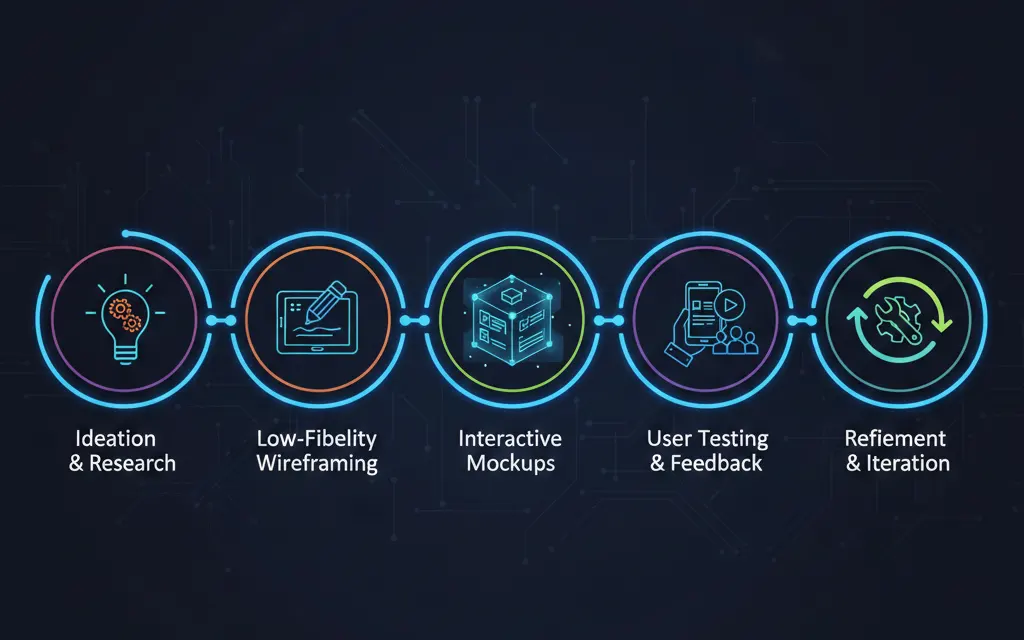
Prototyping is a critical step in the design process, helping designers and developers visualize concepts, test user flows, and validate ideas before full development. In 2025, rapid prototyping tools and best practices have evolved, making it easier than ever to create interactive, realistic prototypes. This guide walks beginners through the essential steps and tips for effective prototyping.
1. Understand the Purpose of Prototyping
Before starting a prototype, clarify its purpose. Ask yourself:
- Are you testing usability?
- Are you presenting an idea to stakeholders?
- Are you exploring visual design or interaction?
Defining the goal helps you focus your efforts and choose the right fidelity for your prototype.
2. Choose the Right Tool
Modern prototyping tools like Figma, Adobe XD, and Framer allow designers to build interactive prototypes without coding. Beginners should start with intuitive, drag-and-drop interfaces and templates to speed up learning.
3. Start With Low-Fidelity Wireframes
Low-fidelity prototypes focus on structure and flow rather than visuals. Use simple shapes, placeholder text, and basic layouts to map user interactions. This stage is quick and encourages iteration without wasting time on aesthetics.
4. Add Interactivity Gradually
Once your wireframes are clear, introduce interactivity:
- Link pages and screens
- Add hover effects and animations
- Include simple transitions
Gradually increasing fidelity ensures you stay focused on functionality first.
5. Test Early and Often
User testing is crucial. Even low-fidelity prototypes can reveal major usability issues. Conduct small tests with potential users or team members and gather feedback to refine the prototype before moving to high fidelity.
6. Move to High-Fidelity Prototypes
High-fidelity prototypes mimic the final product in design, interactions, and content. Add real images, typography, colors, and micro-interactions. High-fidelity prototypes are ideal for stakeholder presentations, user testing, and developer handoff.
7. Collaborate and Share
Modern tools allow real-time collaboration. Share your prototype with teammates, clients, or users for feedback. Collaboration helps identify potential issues early and ensures alignment across design and development teams.
Conclusion
Prototyping is a powerful way to bring ideas to life, validate user experiences, and communicate designs effectively. By starting with low-fidelity wireframes, gradually adding interactivity, and testing early, beginners can create professional, effective prototypes in 2025 without coding. Mastering prototyping skills saves time, improves product quality, and enhances collaboration between designers and developers.